The headline about the 13 best ecommerce platforms in 2026 matters because platform choice is now less about flashy storefront features and more about operational fit, integration depth, and long-term cost. For US small and mid-sized businesses, the practical next step is to evaluate platforms against your actual catalog, fulfillment, payments, tax, and back-office workflows—not against generic rankings.
Key takeaways
- For most US small and mid-sized businesses, the right ecommerce platform is the one that fits catalog complexity, operational workflows, and total cost of ownership—not the one with the longest feature list.
- Platform decisions should be evaluated across payments, taxes, shipping, ERP or accounting integrations, content management, security responsibilities, and migration effort before comparing design features.
- SaaS platforms usually reduce infrastructure overhead and speed up launch, while open-source or composable options provide deeper control but require more technical ownership.
- A practical platform selection process includes documenting business requirements, scoring must-have integrations, testing real workflows, and validating costs over at least a two- to three-year horizon.
- The biggest ecommerce platform risks for SMBs are underestimating migration complexity, over-customizing too early, and choosing a system that cannot support future fulfillment or B2B requirements.
Why this week’s platform rankings matter to SMB ecommerce teams
“Best platform” lists are useful signals, but they often flatten very different business models into one comparison. A direct-to-consumer brand with a focused catalog, subscription add-ons, and heavy social commerce needs a very different foundation than a distributor managing customer-specific pricing, multi-warehouse inventory, and offline sales reps. In practice, the 2026 conversation is shifting from “Which platform has the most features?” to “Which platform removes friction across the entire order lifecycle?”
That shift is important for owners, operations leads, and IT managers because ecommerce is no longer a standalone website decision. Your platform affects payment processing, tax compliance, shipping rules, customer service workflows, analytics, promotions, returns, content publishing, and integrations with tools like QuickBooks, NetSuite, Microsoft Dynamics, HubSpot, ShipStation, Avalara, Stripe, PayPal, and your 3PL. A platform that looks inexpensive at launch can become expensive if every operational requirement needs a paid app, custom middleware, or manual workarounds.
In our experience, ranking articles are most helpful when treated as a shortlist generator. They can point you toward common platform categories—hosted SaaS, open-source, enterprise suites, and composable stacks—but they should not make the decision for you. SMBs make better choices when they translate market buzz into a structured review of business constraints, growth plans, and in-house technical capacity.
What “best ecommerce platform” usually means in real-world platform comparisons
When industry roundups compare platforms, they usually blend together several dimensions: ease of setup, design flexibility, app ecosystem, SEO controls, checkout quality, B2B features, extensibility, and cost. That is useful, but incomplete. For a business buyer, “best” should mean the platform can support your core revenue model with acceptable complexity over the next few years.
For most SMBs, the 2026 platform landscape still groups into a few practical tiers. Shopify and BigCommerce remain strong SaaS options for businesses that want faster deployment and less infrastructure ownership. WooCommerce remains attractive for WordPress-centric organizations that need content flexibility and can manage plugin governance carefully. Adobe Commerce and similar higher-control platforms suit more complex catalogs, B2B pricing, multi-store management, and deeper custom logic, but they bring heavier implementation and maintenance demands. Meanwhile, composable approaches using headless storefronts, frameworks like Next.js, and commerce APIs can be powerful for companies with strong development teams and clear reasons to separate frontend and backend.
A useful way to interpret ranking articles is to ask what kind of merchant each platform is best for. If a list praises a platform’s speed to launch, ask how it handles your accounting sync, returns logic, tax nexus, and warehouse rules. If a list highlights customization, ask who will maintain that customization after launch. The strongest platform is usually the one that fits your current complexity without boxing in your next stage of growth.
How to evaluate the 13 platforms without getting distracted by feature checklists
The fastest way to narrow a long platform list is to score each option against operational realities rather than marketing pages. Start by defining your non-negotiables. These are not broad desires like “good UX” or “scalable,” but concrete capabilities: support for variant-heavy products, subscription billing, bundle logic, B2B account management, customer-specific pricing, multi-currency, marketplace feeds, POS synchronization, or integration with your ERP and shipping stack.
Then separate requirements into four buckets: must-have now, needed within 12 months, nice to have, and avoid if possible. The last category matters because some businesses should avoid heavy plugin dependency, custom checkout logic, or highly bespoke themes that create upgrade problems. This exercise often cuts the list quickly. A simple DTC retailer may reduce 13 options to 3 serious candidates in one workshop; a hybrid B2B/B2C seller may find only a few platforms truly support the account structures and price lists they need.
A practical scoring model for SMBs
- Catalog fit: variants, bundles, kits, subscriptions, digital products, configurable products, or wholesale packs.
- Commerce operations: shipping methods, split shipments, returns, tax calculations, gift cards, discounts, and promotions.
- Integration fit: accounting, ERP, CRM, OMS, WMS, 3PL, POS, PIM, and email marketing.
- Content and SEO: landing pages, blog support, URL control, metadata, redirects, schema options, and localization.
- Technical ownership: hosting, updates, plugin management, security patching, performance tuning, and uptime responsibility.
- Total cost: licenses or subscriptions, apps, payment fees, developer support, migration costs, and ongoing maintenance.
A scoring framework also prevents overreacting to trends. For example, a headless storefront may sound modern, but if your team updates content frequently and relies on marketers rather than developers, a simpler integrated platform may be the better business choice. Conversely, if your brand runs multiple storefronts, complex merchandising, and custom customer journeys, a more flexible architecture may save rework later.
What common platform options usually mean for cost, speed, and control
Most SMB platform choices come down to a tradeoff between speed and control. SaaS platforms typically offer faster launches, predictable hosting, managed updates, and broad app ecosystems. A straightforward implementation can often move faster than open-source alternatives, especially if the product catalog and business rules are not highly customized. Typical costs may include monthly platform fees, theme work, app subscriptions, transaction-related costs, and light integration development.
Open-source or self-managed platforms can provide deeper flexibility, stronger ownership over custom logic, and fewer constraints around checkout or data models. That said, they also add responsibility for hosting, performance, patching, extension governance, and developer maintenance. Typical project timelines are often longer when the business needs custom product types, ERP synchronization, complex promotions, or B2B workflows. Costs are also harder to predict if requirements are not well-defined early.
Composable or headless commerce can make sense when frontend performance, omnichannel delivery, or unusual customer experiences are strategic priorities. But headless is not automatically “better.” It introduces more architectural decisions, more moving parts, and usually a greater need for development maturity. For many SMBs, the right answer is not a full headless build, but selective modernization: a strong native platform paired with well-chosen integrations and disciplined theme customization.
Typical effort ranges to plan for
- Light SMB launch or replatform: often measured in weeks when using a SaaS platform with limited customization and standard integrations.
- Mid-market migration with ERP, shipping, and tax integrations: often measured in a few months, depending on data cleanup and testing complexity.
- Highly customized B2B or multi-store implementation: can extend further if pricing rules, account structures, approvals, or custom middleware are involved.
Those are planning estimates, not guarantees. The variables that most often extend timelines are product data cleanup, redirect mapping, payment and tax setup, theme revisions, and integration testing across order-to-cash workflows.
The decision framework we recommend before choosing or migrating
A good ecommerce platform decision is rarely made in a single demo. It should follow a sequence that surfaces hidden complexity before contracts are signed. At BCW Technology Solutions, we have found that structured discovery saves more time than it adds because it exposes requirements that otherwise appear late, when they are more expensive to fix.
Step 1: Document the current-state workflow
Map how an order actually moves through your business today: product publishing, inventory updates, checkout, fraud review, tax, warehouse handoff, shipping confirmation, returns, refunds, and accounting entry. Include all manual steps, spreadsheet workarounds, and “tribal knowledge” tasks done by operations staff. This is where many businesses discover that the ecommerce problem is partly a process problem.
Step 2: Define future-state requirements
Write down what must improve in the next 12 to 24 months. Examples include launching wholesale ordering, supporting subscriptions, consolidating multiple websites, improving mobile checkout, reducing dependence on manual order entry, or connecting the storefront to an ERP. Tie every requirement to a business reason so the team can prioritize effectively.
Step 3: Build a platform shortlist and run scenario-based demos
Do not ask vendors or implementation partners for generic demos. Give them scenarios from your own business: “Create a customer-specific price list,” “Process a split shipment,” “Issue a partial refund,” “Sync an order to accounting,” or “Publish a landing page for a seasonal collection.” Real scenarios reveal platform fit much better than polished feature tours.
Step 4: Validate total cost and technical ownership
Ask what is native, what requires third-party apps, what needs custom code, and who owns maintenance. Model likely costs over two to three years, including support and change requests. A lower upfront subscription can still be more expensive if essential features depend on multiple paid apps and custom connectors.
Step 5: Plan migration, not just launch
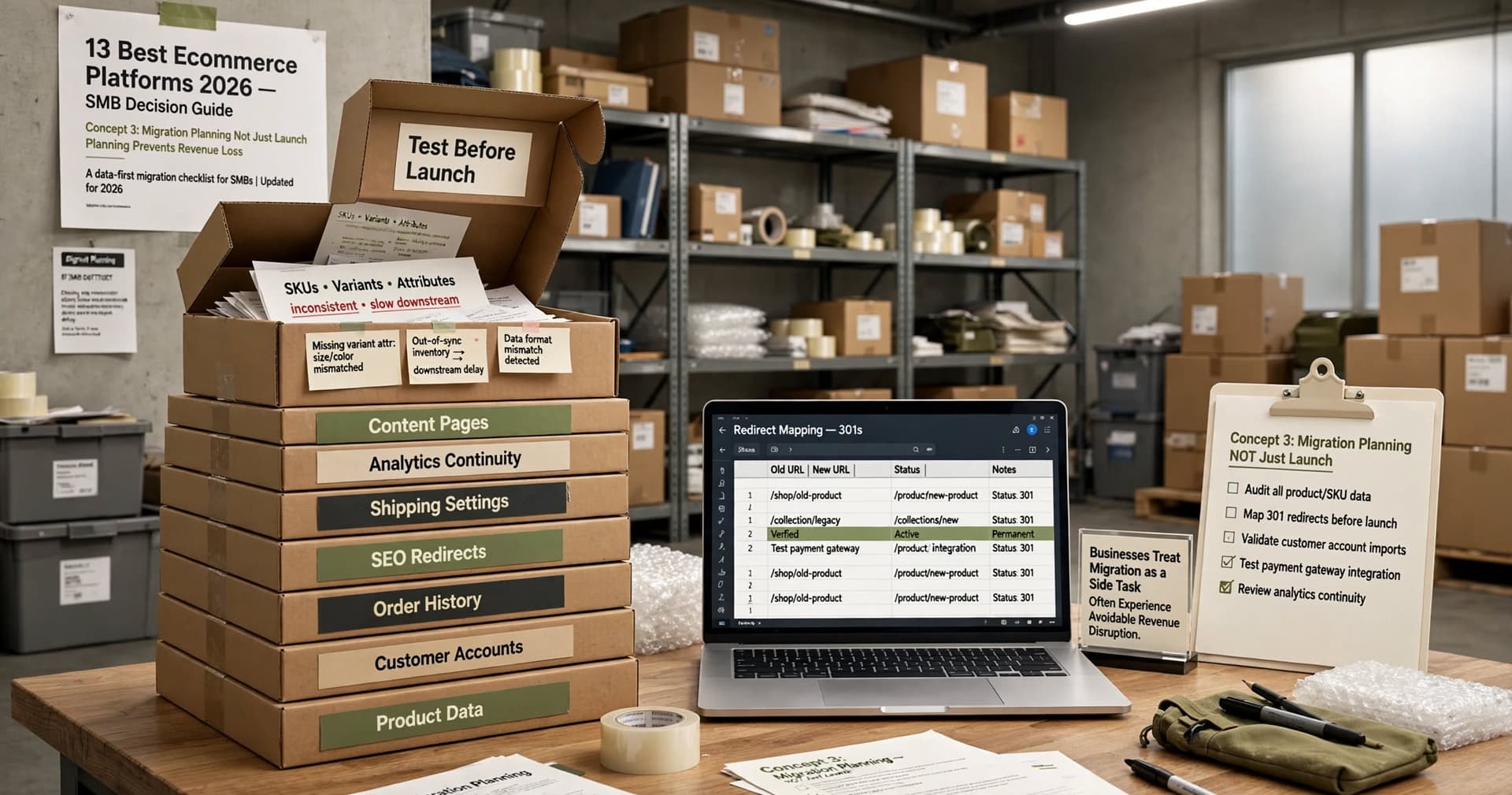
Migration planning should cover product data, customer accounts, order history, SEO redirects, tax rules, shipping settings, content pages, and analytics continuity. If you are changing URL structures, coupon logic, or payment gateways, test those changes before launch. Businesses that treat migration as a side task often experience avoidable revenue disruption.
Common mistakes SMBs make when reacting to platform trends
The first mistake is choosing for edge cases instead of daily operations. Many teams get excited about a platform’s most advanced features while neglecting routine tasks like returns, order edits, discount governance, or accounting reconciliation. If your staff uses a process hundreds of times a month, that workflow matters more than a niche capability used twice a year.
The second mistake is over-customizing too early. It is common to rebuild every old workflow into the new platform, even when some of those workflows exist only because the previous system was limited. A better approach is to adopt strong native patterns first, then customize only where there is clear business value. This keeps upgrades cleaner and lowers maintenance overhead.
The third mistake is underestimating integration risk. Ecommerce rarely fails because a storefront theme looks wrong; it fails because inventory is inaccurate, taxes are misconfigured, orders do not sync, or fulfillment statuses are delayed. Before committing, verify how the platform handles APIs, webhooks, middleware, retries, error logs, and data mapping. If an integration partner says “we can connect anything,” ask how they monitor failures and recover from partial sync issues.
Pitfalls worth watching closely
- Plugin sprawl: too many extensions create upgrade, security, and performance problems.
- Checkout limitations: some platforms restrict checkout customization more than teams expect.
- SEO migration gaps: missing redirects, duplicate content, and metadata loss can hurt traffic after launch.
- Weak product data: inconsistent SKUs, variants, and attributes slow every downstream process.
- Unclear governance: no owner for promotions, content publishing, apps, or access control leads to platform drift.
These risks are manageable, but only if they are addressed early. The businesses that navigate platform changes well are usually the ones that assign clear ownership across ecommerce, operations, finance, and IT from the start.
What US SMBs should do next after reading the 2026 platform comparisons
If this week’s platform coverage pushed ecommerce onto your agenda, the best next move is not requesting ten demos. It is creating a one-page decision brief for leadership. That brief should summarize your sales model, top operational pain points, must-have integrations, compliance considerations, budget range, desired launch window, and internal support capacity. A short, disciplined brief brings focus to every conversation that follows.
Next, shortlist no more than three platforms for serious evaluation. For many SMBs, that means one SaaS-first option, one more flexible option, and one platform that aligns strongly with their existing stack, such as WordPress or a current ERP ecosystem. Then run a scored comparison using your own scenarios, not industry buzzwords. If possible, include the people who will actually use the system every day: customer service, operations, finance, and marketing.
Finally, treat platform selection as a business architecture decision, not just a website redesign. The right ecommerce foundation should reduce manual effort, support reliable fulfillment, and make growth easier without creating technical debt you will regret in a year. A strong partner can help structure the evaluation, but even if you handle it internally, the discipline is the same: define the workflows, test the real use cases, and choose the platform that fits the business you are building next—not the one that won the loudest ranking this week.
Frequently Asked Questions
How should a small business use a “best ecommerce platforms” ranking?
Use rankings as a starting shortlist, not a final answer. The right platform depends on your product catalog, payment and tax requirements, shipping workflows, integrations, and how much technical ownership your team can handle.
Is Shopify always the best option for SMB ecommerce?
Not always. Shopify is often a strong fit for businesses that want speed, managed infrastructure, and a broad app ecosystem, but companies with complex B2B pricing, unusual checkout logic, or heavy customization needs may need a different platform.
When does WooCommerce make sense compared with SaaS platforms?
WooCommerce makes sense when a business already relies on WordPress, needs strong content flexibility, and can manage hosting, plugin governance, updates, and performance responsibly. It is less ideal when the organization wants a more managed environment with fewer technical maintenance tasks.
What is the biggest risk during an ecommerce platform migration?
The biggest risk is underestimating operational and data complexity. Product data cleanup, redirects, payment configuration, tax rules, integrations, and order workflow testing typically cause more issues than visual redesign work.
Work with BCW Technology
Planning a project around this? We help small and mid-sized businesses across the USA ship it. Explore our services and portfolio, request a quote, or get in touch.