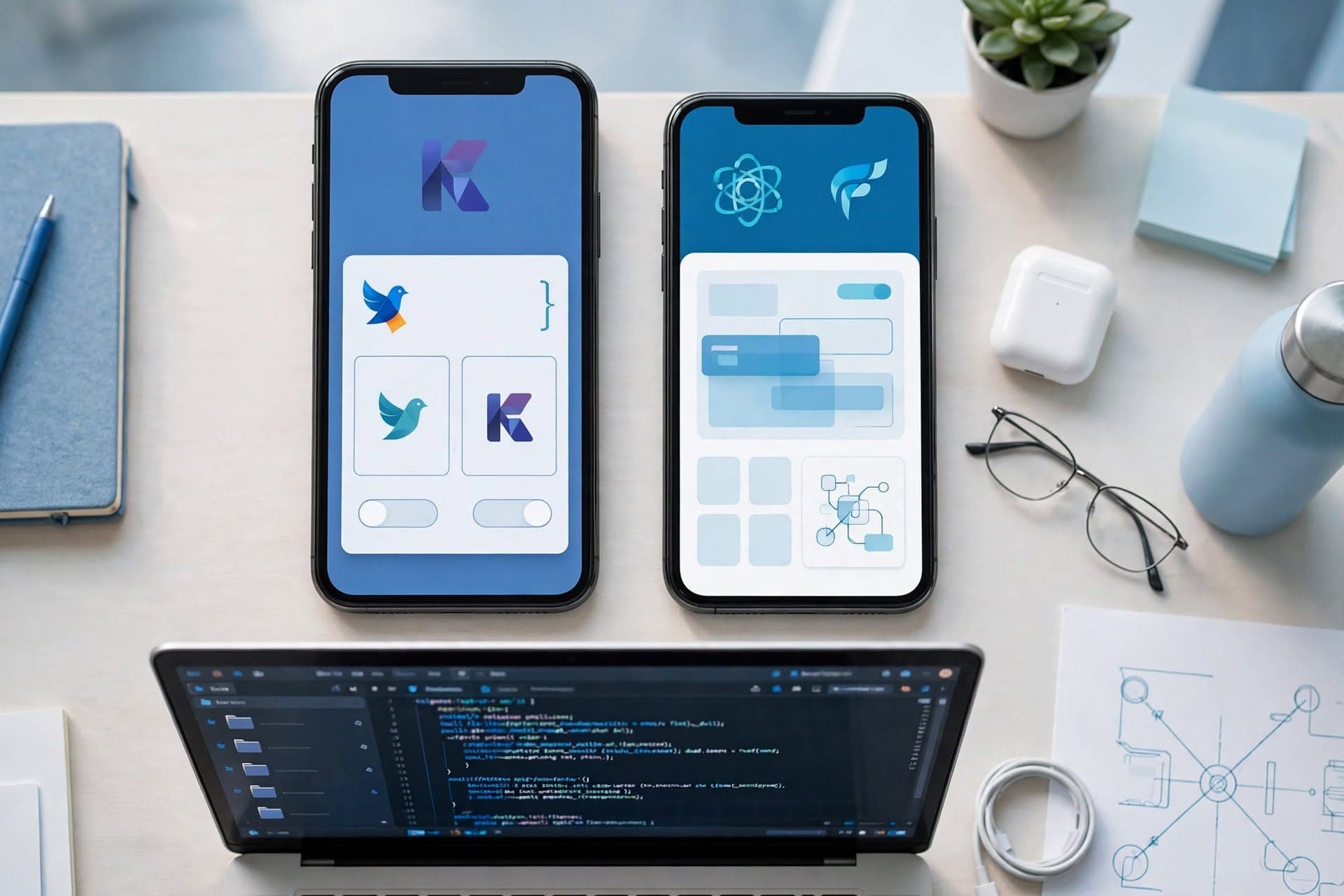
If your app needs maximum performance, advanced device capabilities, or a highly polished platform-specific experience, native development is usually the safer choice. If your priority is launching on both iOS and Android faster with lower initial cost and a shared feature set, cross-platform development is often the better business decision. The right answer depends on the app's complexity, hardware needs, and how much you expect it to evolve over the next few years.
Key takeaways
- Native app development is usually the best fit when performance, deep device integration, or platform-specific user experience is a top priority.
- Cross-platform development is often the most efficient option when a business needs to launch on iOS and Android quickly with a shared codebase and aligned feature set.
- The right decision depends less on trend and more on constraints such as budget, timeline, hardware access, offline behavior, maintenance capacity, and long-term product roadmap.
- Authentication, offline syncing, push notifications, analytics, and app store compliance often create more delivery risk than the UI framework itself.
- A phased approach can reduce risk: validate the product with cross-platform in some cases, then move selective features or the full app to native only if the business case becomes clear.
What native and cross-platform really mean
Native development means building separate apps for each platform using that platform's primary tools and languages: Swift or Objective-C for iOS in Xcode, and Kotlin or Java for Android in Android Studio. Each app uses the operating system's own UI components, APIs, performance tooling, and release process. That usually gives developers the deepest access to platform features and the most predictable behavior under load.
Cross-platform development means creating one main codebase that targets both platforms. The most common modern options are React Native, Flutter, and in some enterprise cases Kotlin Multiplatform or .NET MAUI. These approaches vary under the hood. React Native renders with native components via a JavaScript or TypeScript layer, Flutter draws its own UI using Dart, and Kotlin Multiplatform shares business logic while allowing platform-specific UIs. For business leaders, the important point is not the framework brand name; it is how much code, testing, and maintenance can realistically be shared.
There is no universally superior model. In our experience, companies run into trouble when they choose based on a single idea such as “cross-platform is cheaper” or “native is always better.” Both statements can be true in some situations and expensive mistakes in others. A field service app with offline sync and camera workflows is different from a consumer loyalty app, and both are different from a fintech product that depends on biometric security and smooth animation.
When native development is the better investment
Native development tends to win when app performance, responsiveness, and deep operating-system integration directly affect the user experience or business value. This includes apps with complex animations, heavy background processing, location tracking, Bluetooth communication, augmented reality, advanced camera use, wearables, or custom audio/video handling. If an app is central to operations or revenue, small delays, UI inconsistencies, and OS-specific bugs become much more expensive than the initial development savings from a shared codebase.
Native is also attractive when iOS and Android users need different experiences. That is common in B2B apps used by mixed device fleets, where Android tablets may dominate warehouse operations while iPhones are used by managers or sales staff. Separate native apps make it easier to optimize workflows for each device class, screen size, permissions model, and ecosystem expectation. Apple users often expect tighter visual polish and gesture behavior; Android users may rely more on device variety, file access, and hardware flexibility.
Native is often the safer choice when you need:
- High-performance UI such as real-time dashboards, map-heavy views, or graphics-intensive interactions.
- Hardware integration including Bluetooth Low Energy, NFC, barcode scanning, custom camera controls, LiDAR, or external accessories.
- Advanced security controls such as platform-specific keychain/keystore handling, device attestation, and strong enterprise MDM support.
- Long-lived strategic apps where you expect years of feature growth and separate platform roadmaps.
- Fast access to new OS capabilities right after Apple or Google releases them.
The tradeoff is straightforward: native usually costs more up front because you are funding two codebases, two QA paths, and often more specialized engineering. But it can reduce downstream compromise when the app is mission-critical and technical limitations would otherwise surface later, after users and business processes already depend on it.
When cross-platform is the smarter business choice
Cross-platform development makes strong business sense when you need to reach iOS and Android users with largely the same functionality and want to control initial cost and timeline. Many SMB apps fall into this category: customer portals, internal approvals, appointment scheduling, sales enablement tools, e-commerce companion apps, member apps, and workflow apps tied to existing web systems. If the core value is in forms, account management, notifications, content, API-driven dashboards, and standard device features, a shared codebase can be very efficient.
Modern cross-platform tools are more capable than older hybrid approaches. A well-built React Native or Flutter app can feel polished and production-grade, especially when teams avoid over-customization and design with each platform's conventions in mind. Shared code can simplify feature parity, reduce duplicate business logic, and speed release cycles. For organizations with small internal IT teams, one codebase is often easier to govern than two separate mobile products.
Cross-platform tends to work well for:
- MVPs and first releases where the business needs market validation before deeper platform investment.
- Internal business apps for approvals, inspections, inventory checks, field reporting, or CRM access.
- Content and commerce apps that rely mostly on APIs, catalog data, payments, user accounts, and messaging.
- Teams with shared web talent where JavaScript/TypeScript or Dart skills are easier to source than separate iOS and Android specialists.
- Roadmaps with frequent iteration where shipping both platforms together matters more than platform-specific differentiation.
The caution is that “write once, run anywhere” is never literal. You still need platform testing, app store packaging, push notification setup, accessibility review, security hardening, and occasional native modules. Cross-platform reduces duplication, but it does not eliminate platform work. Decision-makers should budget for that reality rather than assuming one app build equals one fully unified delivery path.
The five factors that should drive the decision
Most teams can narrow the choice quickly by evaluating five practical factors rather than debating frameworks in the abstract. First is feature complexity. If your roadmap includes background tasks, geofencing, low-level hardware access, live media processing, or dense offline behavior, native deserves serious consideration. Second is time to market. If speed matters more than maximum technical optimization, cross-platform often wins.
Third is budget and total cost of ownership. Typical SMB projects vary widely, but a straightforward cross-platform app may often start in the tens of thousands of dollars and take a few months, while comparable native builds may cost noticeably more because the work is split across platforms. More complex apps with secure APIs, admin workflows, third-party integrations, offline sync, and testing can move well beyond that range. These are only broad estimates; the real driver is scope, not just framework choice.
Fourth is maintenance capacity. Ask who will support this app after launch. Separate native apps may be the right technical choice, but they demand stronger release discipline, QA coverage, and platform expertise. Fifth is user expectation. If customers will compare your app directly with polished consumer products, design fidelity and responsiveness matter. If the users are employees trying to complete a task in under a minute, reliability, offline behavior, and authentication flow may matter more than animation subtlety.
A practical scoring lens for stakeholders
- Choose native if three or more of these are true: heavy hardware use, strict performance expectations, advanced security requirements, different iOS/Android workflows, or long-term strategic differentiation.
- Choose cross-platform if three or more of these are true: similar features across platforms, constrained budget, rapid launch target, API-centric functionality, or limited internal support capacity.
- Consider a hybrid strategy if the app needs shared business logic but a few features may later require native modules or platform-specific screens.
A step-by-step framework for making the call
Business teams make better decisions when they define constraints before reviewing proposals. Start with the job the app must do, not the technology stack. Write down the top five user actions, the systems the app must integrate with, and the features that cannot fail in the field. For example: authenticate through Microsoft Entra ID or Okta, scan barcodes, work offline for up to a day, sync with a cloud API, and send role-based push notifications. Once those are explicit, technology choices become clearer.
Next, divide requirements into must-have, should-have, and later. This prevents teams from selecting native simply because the future roadmap might become complex someday, or selecting cross-platform because the first release looks simple on paper while hidden requirements suggest otherwise. Then validate dependencies early: payment providers, MDM requirements, ERP or CRM APIs, analytics tools, SSO, and app store policies. In many projects, these dependencies drive effort more than the UI itself.
Use this decision sequence:
- 1. Define business outcomes. Is success lower service time, new revenue, better retention, or reduced manual work?
- 2. Map critical user journeys. Focus on moments where speed, offline access, or device features affect success.
- 3. Identify non-negotiable technical constraints. Security, compliance, hardware access, and integration limits belong here.
- 4. Estimate phase-one scope separately from phase-two ambition. Do not let future ideas distort the first build decision.
- 5. Prototype risky features first. Test scanning, offline sync, Bluetooth, or authentication before committing the full build.
- 6. Compare delivery models by total operating cost. Include QA, release management, support, and future upgrades, not just initial development.
At BCW Technology, we often advise clients to run a short discovery phase before committing to a framework. A two- to four-week planning effort can expose hidden complexity, especially around API quality, offline data models, and enterprise authentication. That is usually cheaper than discovering midway through development that a “simple” shared app needs several platform-specific workarounds.
Common pitfalls that increase cost and delay
The most common mistake is treating the framework decision as the main risk. In reality, delivery problems often come from poor backend design, unstable APIs, unclear ownership of app-store accounts, weak test coverage, and underestimated edge cases such as expired sessions, conflict resolution during sync, or flaky network conditions. A polished frontend cannot compensate for unreliable mobile architecture.
Another frequent issue is over-customizing the UI too early. Teams sometimes try to make iOS and Android look identical in a cross-platform app, forcing extra effort and sacrificing familiar platform behavior. The better approach is usually consistent branding with platform-appropriate navigation, controls, and gestures. This reduces rework and improves user adoption. Similarly, native teams can waste budget by duplicating logic that should live in shared backend services, SDKs, or design systems.
Watch for these red flags:
- No offline strategy. If users may lose signal, define local storage, sync timing, and conflict handling up front.
- Authentication added late. SSO, MFA, token refresh, and role management often affect architecture from day one.
- Testing only on simulators. Real devices expose camera, battery, connectivity, and permission issues that emulators miss.
- Ignoring app store compliance. Privacy disclosures, tracking permissions, subscription rules, and data handling can delay release.
- Assuming maintenance is minor. OS updates, SDK changes, notification certificates, and security patches are ongoing work.
A good partner should be able to explain how they will handle crash reporting, analytics, CI/CD, and release management regardless of framework. Look for concrete answers involving tools such as Firebase Crashlytics, Sentry, GitHub Actions, Bitrise, Fastlane, TestFlight, and Google Play internal testing. Those operational details matter because they determine how quickly problems are found and fixed after launch.
Recommended patterns for typical SMB app scenarios
Different app types tend to point toward different choices. A customer self-service or e-commerce app often works well with cross-platform if the main features are login, catalog browsing, ordering, account updates, loyalty, and push notifications. A field service app may still be cross-platform if scanning, photos, signatures, and offline forms are standard and validated early, but it moves toward native as hardware interaction and background processing become more demanding. A high-trust finance or healthcare workflow app often benefits from native when security controls, performance consistency, and audit-sensitive interactions are central.
Internal operations apps deserve especially pragmatic decisions. If the app supports warehouse picking, inspections, route updates, or technician reporting, the best answer may be whichever approach most reliably handles poor connectivity, camera use, and enterprise authentication at acceptable cost. For many SMBs, that ends up being a well-scoped cross-platform build with a strong backend and selected native modules only where needed. For others, especially where rugged Android devices dominate, a focused native Android app can be the most efficient solution.
The decision does not have to be permanent. Some businesses start with cross-platform to validate workflows and user adoption, then move performance-critical features into native modules, or later rebuild natively once the product proves strategic value. Others discover the opposite: a native concept can be simplified into a shared-code product once the real usage patterns become clear. The strongest strategy is not ideological. It is a disciplined match between business priorities, technical constraints, and the cost of being wrong.
Frequently Asked Questions
Is cross-platform always cheaper than native app development?
Not always. Cross-platform often lowers initial development cost when the app's features are similar on iOS and Android, but savings can shrink if the app needs custom native modules, complex offline logic, or heavy hardware integration. Total cost depends on scope, maintenance, QA, and integration complexity more than the framework label alone.
Which cross-platform framework is most common for business apps?
React Native and Flutter are the most common modern choices for SMB and mid-market business apps. React Native is often attractive for teams with JavaScript or TypeScript experience, while Flutter can be strong when UI consistency and custom interface control are priorities.
When should a company choose native development first?
Choose native first when the app depends on advanced device features, strict performance, high-security requirements, or platform-specific user experiences. It is also a strong option when the mobile app is expected to become a long-term strategic product rather than a limited companion app.
Can a business start cross-platform and switch to native later?
Yes, but the transition should be planned carefully. Many companies launch with cross-platform to validate demand or workflows, then move selected features or the full product to native if performance, hardware access, or platform differentiation becomes more important.
Work with BCW Technology
Planning a project around this? We help small and mid-sized businesses across the USA ship it. Explore our services and portfolio, request a quote, or get in touch.