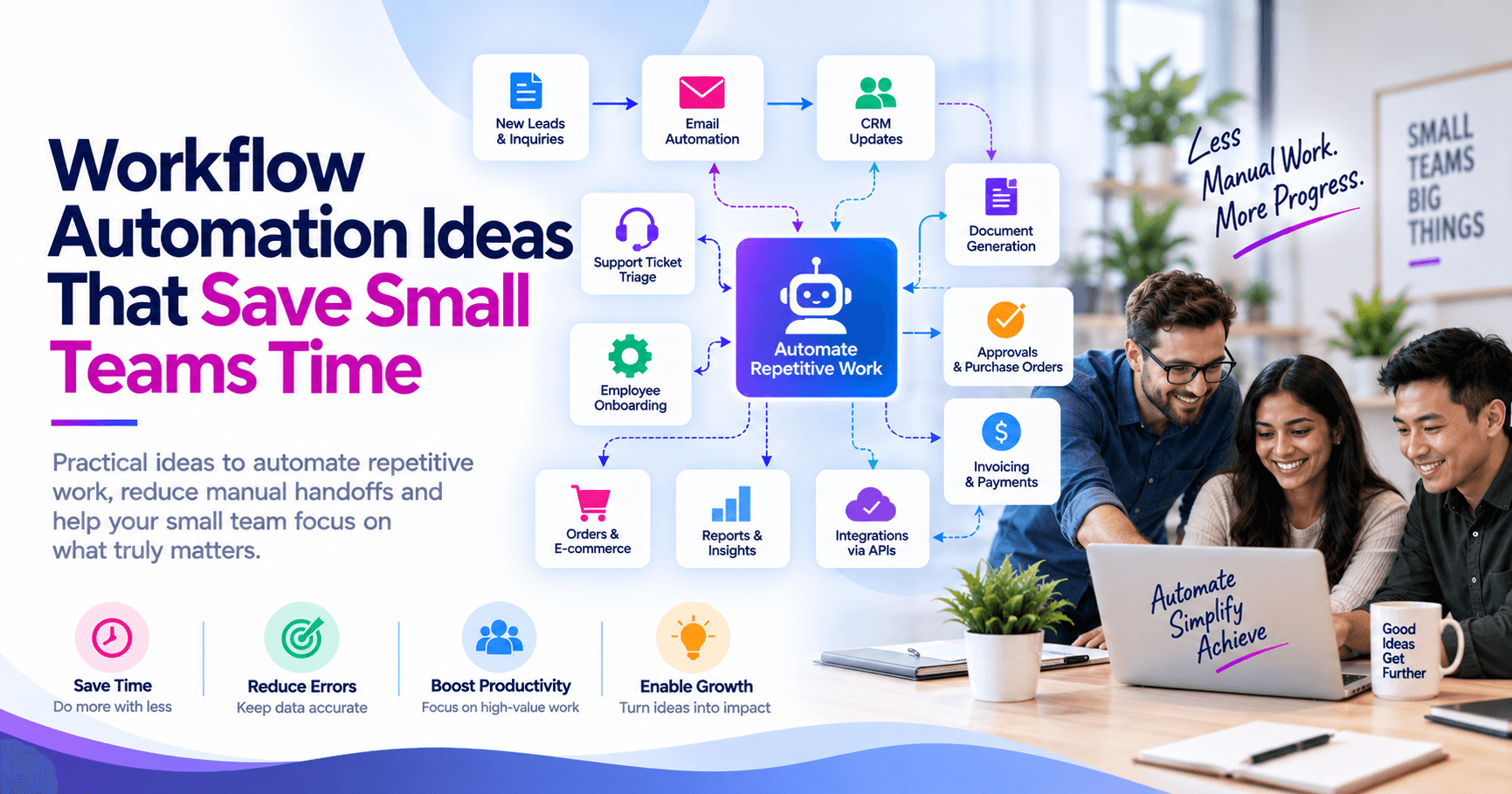
Small teams save the most time by automating repetitive workflows that involve copying information between systems, chasing approvals, sending status updates, generating documents, and routing requests to the right person. In practice, the best automation ideas are not flashy; they are the everyday tasks that happen often, follow predictable rules, and currently depend on someone remembering the next step.
Key takeaways
- The best workflow automations remove repetitive handoffs, duplicate data entry, and follow-up tasks that happen every day or every week.
- Small teams usually get the fastest return by automating intake, approvals, notifications, document generation, and system-to-system updates before attempting complex AI projects.
- A practical automation project starts with one well-defined process, one owner, clear exception handling, and measurable time saved per week.
- Typical small-business workflow automations can often be implemented with low-code tools and APIs, but governance, security, and audit trails still matter.
- Automating a broken process can make problems happen faster, so process cleanup and standardization should come before scaling automation.
Start with the work that quietly consumes the week
When business leaders think about automation, they often jump to large transformation projects. For small and mid-sized businesses, the highest-value opportunities are usually much simpler: the operational friction that steals 5 to 20 minutes at a time, dozens of times per week. Think about how new leads are entered, how invoices are approved, how support tickets are routed, how onboarding tasks are assigned, or how inventory changes are reflected across systems. Each task may seem minor, but together they create a large drag on a small team.
In our experience, the most promising candidates share four traits. They happen frequently, follow consistent rules, span multiple tools, and create delays when a person must manually re-enter data or remind someone else to act. If a process lives partly in email, partly in spreadsheets, and partly in a line-of-business app, it is often a strong automation candidate. Typical tools in this space include Microsoft Power Automate, Zapier, Make, Airtable automations, HubSpot workflows, Salesforce Flow, ServiceNow, Jira Automation, and direct API integrations for systems that need tighter control.
A useful first filter is to ask three questions: What repeats? What waits? What breaks? Repetitive work is the clearest target. Waiting shows you where handoffs and approvals are slowing the business. Breaks reveal where humans are compensating for disconnected systems, inconsistent forms, or unclear ownership. Those are the places where automation does more than save minutes; it improves reliability.
High-impact workflow automation ideas for small teams
Many small teams can reclaim meaningful time each week with a handful of practical automations. These are not industry-specific, which is why they work across service firms, retailers, healthcare-adjacent operations, field teams, and internal business functions. The goal is to reduce manual touchpoints while keeping exceptions visible.
- Lead and inquiry routing: Capture website forms, email inquiries, or marketplace leads; validate fields; enrich basic company information; assign to the right salesperson or account manager; and create follow-up tasks automatically in a CRM such as HubSpot, Salesforce, or Zoho.
- Client and employee onboarding: Once a contract is signed or a new hire is approved, trigger account creation, checklist tasks, welcome emails, policy acknowledgments, calendar invites, and equipment requests across Microsoft 365, Google Workspace, HR systems, and ticketing tools.
- Invoice and purchase approval workflows: Route invoices based on amount, department, or vendor; notify approvers in Teams or Slack; escalate after a set period; and sync final status into accounting platforms such as QuickBooks, Xero, or NetSuite.
- Support triage and escalation: Convert emails or chat requests into tickets, tag by issue type, assign by priority or queue, notify the correct team, and alert managers when service-level thresholds are at risk.
- Document generation: Use templates to create proposals, statements of work, contracts, packing slips, and status reports from CRM or ERP data, then save them to SharePoint, Google Drive, or a document management system.
- E-commerce and order updates: Sync orders, shipping status, refunds, inventory adjustments, and customer notifications between Shopify, WooCommerce, Amazon, shipping carriers, and back-office systems.
- Recurring reporting: Pull data from multiple systems into a dashboard or scheduled report so managers are not spending Monday morning exporting CSV files and rebuilding the same spreadsheet.
Notice the pattern: these automations remove handoffs, not judgment. A good workflow does not eliminate people from the process; it eliminates the need for people to perform clerical glue work between systems. That distinction matters because it keeps projects realistic and easier to maintain.
Seven practical examples with realistic implementation paths
To make this concrete, here are several scenarios small teams commonly automate. A professional services firm might connect its website form to a CRM, then automatically create a qualification task, send a branded acknowledgment email, and notify the assigned rep in Microsoft Teams. A common low-code version of this can often be delivered in days if the fields are already standardized. If the company also wants duplicate detection, territory logic, and ERP integration, the work may expand into a few weeks.
A distributor might automate order exception handling. When a product is out of stock, the workflow can flag the order, notify customer service, suggest substitute SKUs, and create an internal task to review promised ship dates. The same idea applies to returns and RMAs. Instead of relying on inbox monitoring, a workflow engine can enforce required fields, route by product line, and store an audit trail of every decision.
Another common case is finance operations. A small business receiving invoices through email can use OCR or structured invoice capture, match fields against purchase orders, route exceptions to the correct approver, and push approved records to accounting software. This is where accuracy matters more than speed, so exception handling and field validation should be designed up front. Teams that skip that design often discover the workflow creates extra cleanup work instead of reducing it.
Typical time and cost ranges
Simple automations using existing SaaS tools and standard connectors often fit within a modest budget and can be implemented in less than two weeks. More involved workflows that require custom APIs, role-based approvals, document generation, or integrations with legacy systems usually take several weeks and a larger investment. Ongoing platform costs also matter: some tools charge per flow run, per user, or per premium connector, so the cheapest build is not always the lowest long-term cost.
A useful rule is to estimate not only build effort but also support effort. If a process changes every month, hard-coded logic becomes expensive quickly. In those cases, low-code platforms with editable business rules may be better than a custom script. If the process is stable and business-critical, a more robust custom integration may be the better long-term choice.
A step-by-step framework to choose what to automate first
The best automation roadmap is not a list of ideas; it is a prioritization method. Small teams should evaluate automation candidates using a simple decision framework that balances impact, complexity, and operational risk. This keeps the first project focused and prevents a promising initiative from stalling under edge cases and competing stakeholder requests.
- Map the current process. Document triggers, inputs, systems involved, owners, approvals, outputs, and common exceptions. If the process cannot be explained clearly, it is not ready to automate.
- Measure frequency and effort. Estimate how often the process runs and how many manual minutes it consumes each time. General ranges are enough at this stage.
- Identify failure points. Look for missing data, duplicate entry, unclear routing, approval delays, and compliance or audit gaps.
- Score business value. Prioritize workflows that affect revenue response time, customer experience, billing, service quality, employee onboarding, or operational bottlenecks.
- Score technical complexity. Consider number of systems, API availability, data quality, authentication requirements, and exception volume.
- Define the minimum viable automation. Start with one trigger, one path, and one clear outcome. Do not automate every edge case in version one.
- Assign ownership. Name one business owner and one technical owner. Automation without ownership becomes shelfware.
- Plan metrics. Track cycle time, touchpoints removed, exception rate, and completion rate so you can verify the workflow is helping.
For example, if a team is deciding between automating weekly reports and automating customer onboarding, onboarding may win even if it is slightly harder. Why? It touches multiple departments, affects customer experience directly, and usually creates repeated task coordination that is easy to standardize. By contrast, report automation may still be worthwhile, but often as a second-wave project unless reporting itself is a major bottleneck.
Technology choices: low-code, custom integration, or AI-assisted workflows
Tool selection should follow the process, not the other way around. For many SMB workflows, low-code platforms are the right starting point because they provide connectors, approvals, notifications, scheduling, and conditional logic without heavy development. Microsoft-centric organizations often do well with Power Automate, SharePoint, Teams, and Dataverse. Google Workspace users may combine Apps Script, AppSheet, and third-party connectors. CRM-centered businesses may rely on HubSpot workflows or Salesforce Flow for customer-facing processes.
Custom integration becomes the better choice when reliability, scale, or control outweigh convenience. Examples include syncing data between an ERP and an e-commerce platform, handling higher transaction volumes, enforcing complex business rules, or integrating with systems that have weak connectors. In these cases, API-first designs, webhook-based events, message queues, and integration platforms can provide more durability than stacked low-code workarounds.
AI can help, but it should be used surgically. Good use cases include classifying incoming requests, extracting fields from semi-structured documents, summarizing long support threads, drafting routine responses for review, or recommending next steps inside a workflow. Poor use cases include fully autonomous decisions where the cost of an error is high and review is required. When AI is added, teams need confidence thresholds, human-in-the-loop approval, logging, and clear data handling rules. At BCW Technology, we usually advise clients to automate deterministic steps first and then layer AI into the parts that genuinely benefit from prediction or language understanding.
Common pitfalls that cause automation projects to disappoint
The biggest mistake is automating a messy process without standardizing it first. If request forms are inconsistent, approval rules vary by manager, and nobody agrees on what “complete” means, the automation will only accelerate confusion. Spend time cleaning up field definitions, naming conventions, and approval paths before building anything.
Another common issue is ignoring exceptions. Real workflows are full of them: missing documents, duplicate records, inactive customers, pricing overrides, or requests that do not belong in the normal queue. A strong design includes exception branches, owner notifications, retries, and a manual review path. Teams often underestimate this and end up with a brittle process that works only under ideal conditions.
- No audit trail: If approvals matter for finance, security, HR, or regulated processes, log who approved what and when.
- Weak security design: Service accounts, API keys, OAuth scopes, and access permissions should follow least-privilege principles.
- Too many tools: A chain of five apps may work in a demo but be difficult to support in production.
- Unclear ownership: Someone must own business rules, exception handling, and future changes.
- No monitoring: Failed runs, rate limits, expired credentials, and connector changes need alerting and review.
- Skipping user training: Even a good automation fails if staff do not understand the new intake form, status labels, or exception process.
Finally, do not judge success by whether a workflow was launched. Judge it by whether it reduced manual steps, improved turnaround, and made errors easier to catch. That means a short stabilization period is normal. The first version should be observed closely, adjusted based on real usage, and only then expanded.
How to make automation sustainable as the business grows
The difference between a helpful automation and a long-term operational asset is governance. Small teams do not need heavy bureaucracy, but they do need standards: naming conventions, documentation, test cases, owner assignments, security reviews, and change control for business-critical flows. A one-page runbook for each automation is often enough. It should explain the trigger, business purpose, systems touched, key rules, error handling, credentials used, and who gets alerted if it fails.
It also helps to think in terms of an automation portfolio rather than isolated wins. Once a team automates intake, approvals, and reporting across multiple departments, patterns emerge. You can standardize templates for notifications, approval stages, field validation, and audit logging. That reduces maintenance and makes future automations faster to build. This is where a technology partner can add value, not by making automation mysterious, but by helping establish repeatable architecture and guardrails.
The small teams that get the most from workflow automation do not chase novelty. They focus on the work that happens every day, define the process clearly, choose tools that fit their environment, and build with exceptions and security in mind. Done well, automation gives a team back hours each week while making operations more consistent and less dependent on memory, inboxes, and heroic follow-up.
Frequently Asked Questions
What workflow should a small team automate first?
Start with a process that happens frequently, follows clear rules, and requires people to move information between systems or chase approvals. Common first projects include lead routing, invoice approvals, onboarding checklists, and support ticket triage because they are repetitive and relatively easy to measure.
Do small businesses need custom software for workflow automation?
Not always. Many small businesses can automate high-value workflows with low-code platforms such as Power Automate, Zapier, Make, HubSpot workflows, or Salesforce Flow, especially when standard connectors exist. Custom development becomes more appropriate when you need deeper integrations, complex logic, stronger control, or support for legacy systems.
How long does a typical workflow automation project take?
A straightforward automation using existing SaaS tools and standardized data can often be designed and deployed in days to a couple of weeks. Projects that involve multiple systems, custom APIs, approval logic, security reviews, and exception handling usually take several weeks and benefit from phased rollout.
Can AI improve workflow automation for small teams?
Yes, but AI works best as a targeted enhancement rather than the starting point. It is useful for document extraction, request classification, summarization, and response drafting, while rule-based automation should still handle the core routing, approvals, and system updates for predictability and auditability.
Work with BCW Technology
Planning a project around this? We help small and mid-sized businesses across the USA ship it. Explore our services and portfolio, request a quote, or get in touch.